SRT + WebVTT
Import both formats directly, without external conversion tools.
Subtitle workflow, simplified.
Turn subtitle styles into reusable templates. Prepare speaker configurations once. Manage every project from one focused workspace—and bring everything back to Final Cut Pro.
Workflow
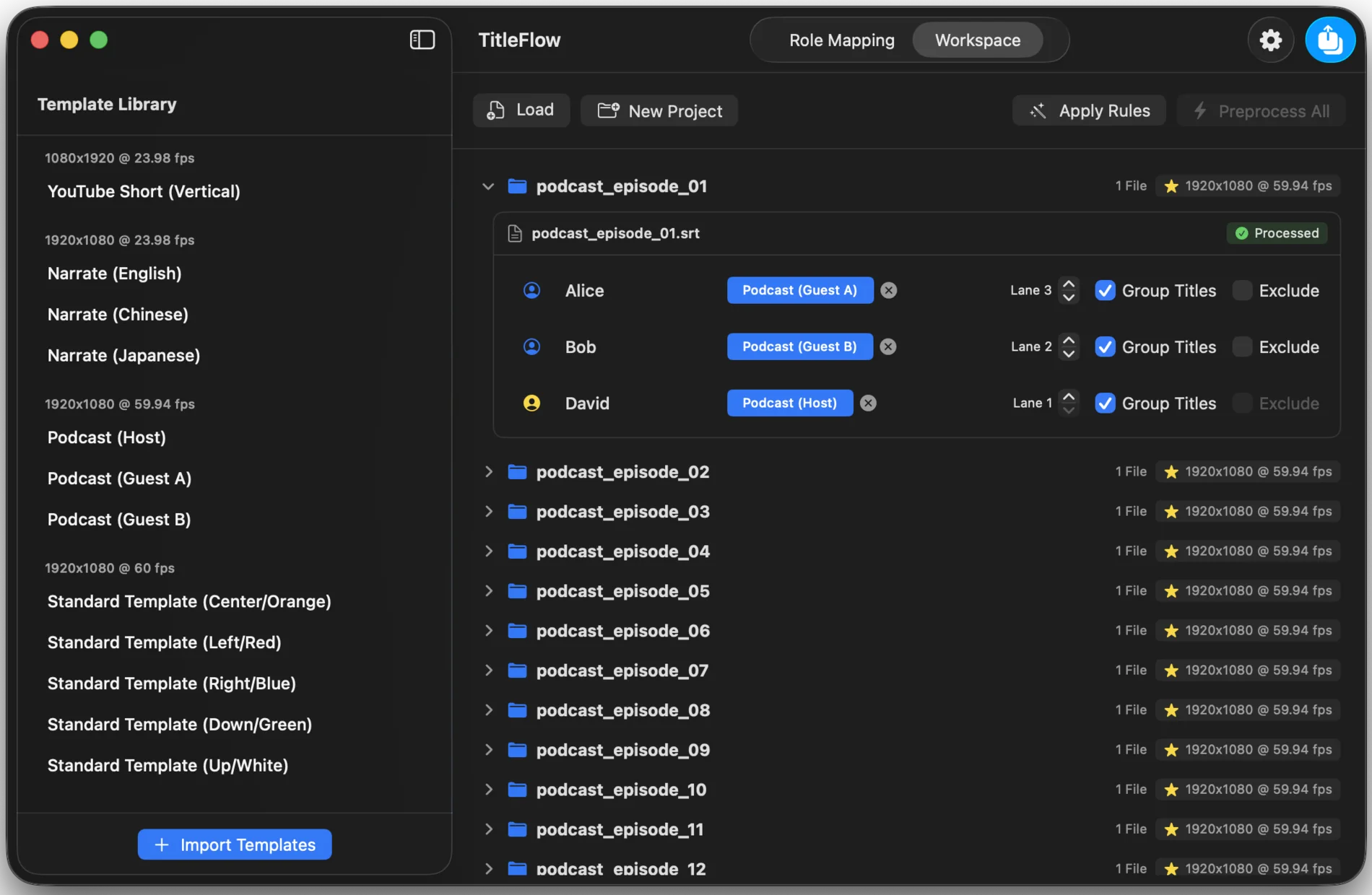
Keep the editing workflow you already know. TitleFlow handles the repetitive production work between subtitle preparation and your finished timeline.
Subtitle Templates
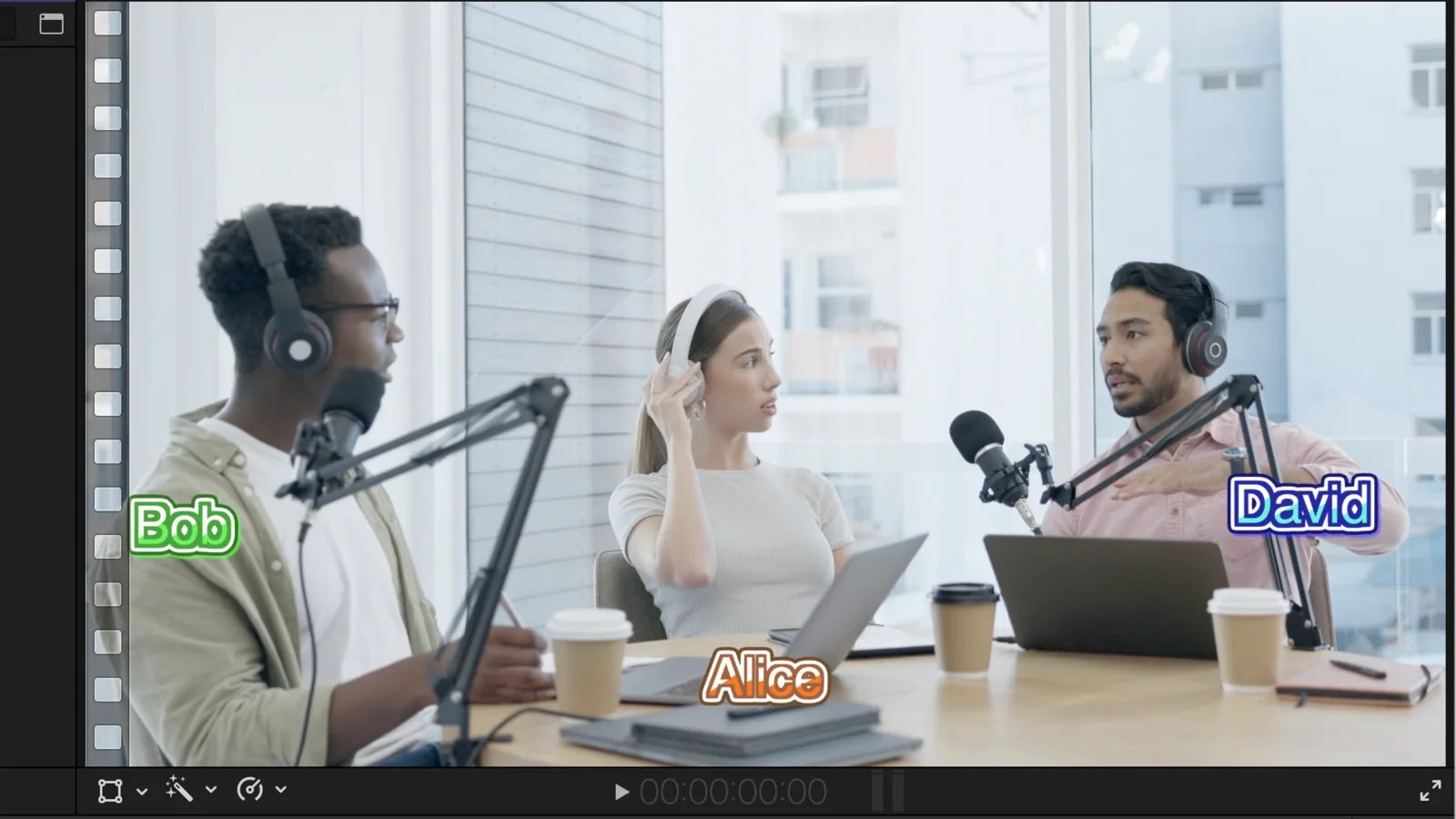
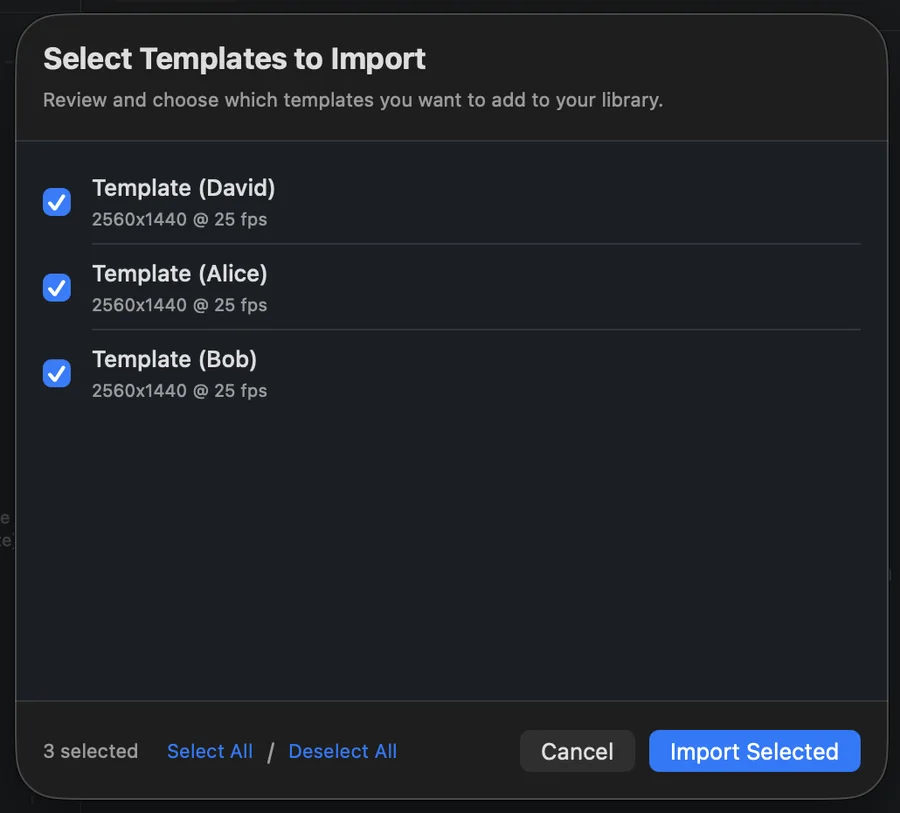
A TitleFlow Subtitle Template combines a Motion template with its visual settings. Position, font, size, color, and text style become the final appearance your viewers see—and a production asset you can reuse.
Workspace
Keep multiple Final Cut Pro projects, subtitle files, and speakers organized in one production session. Each project stays independent while sharing reusable production assets.
Role Mapping
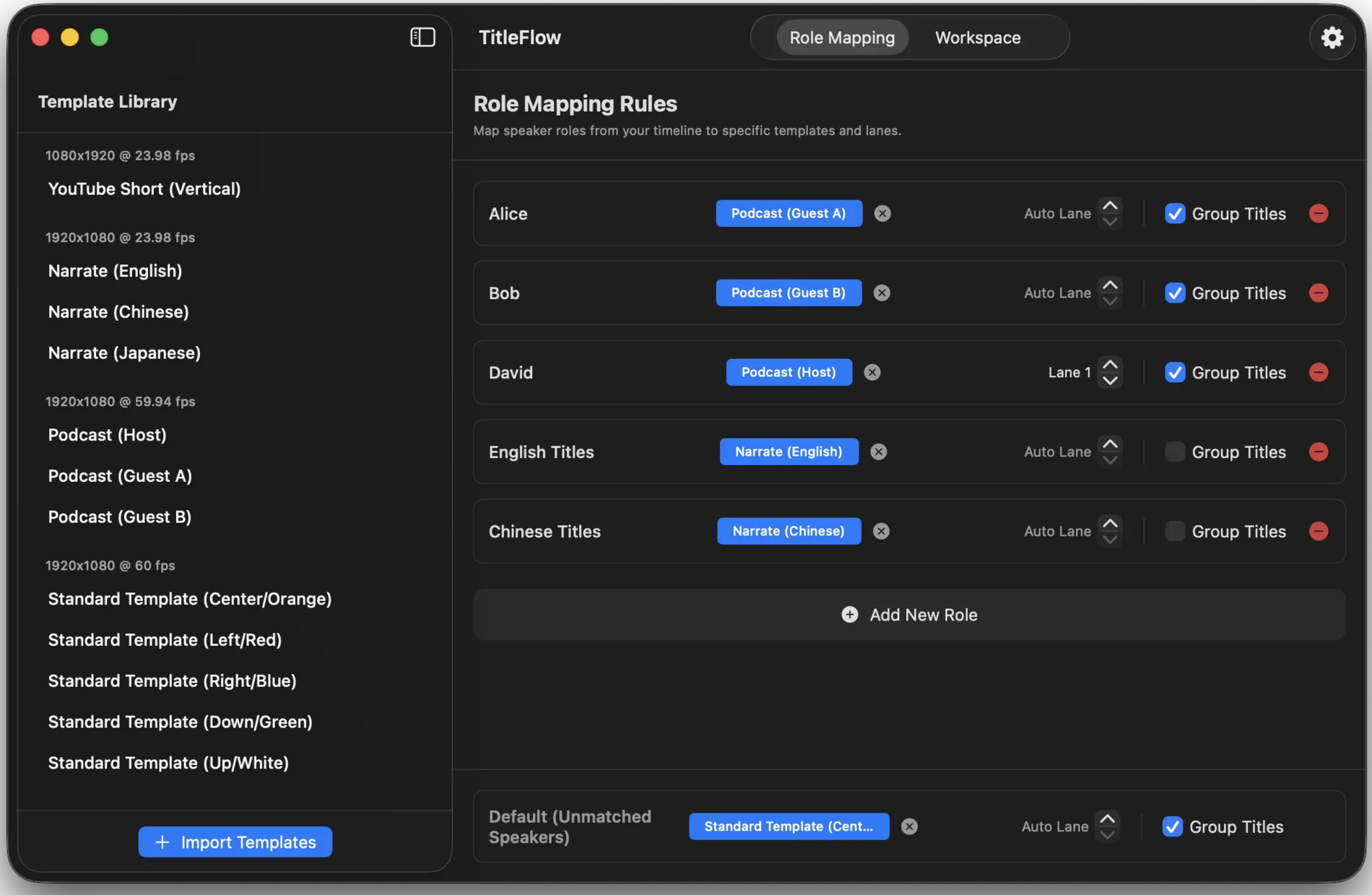
Prepare recurring speakers before importing subtitles. Assign a Subtitle Template, lane, and Group Titles behavior. Matching speakers inherit their configuration automatically; unmatched speakers use Default.
Batch Workflow
Process multiple projects, subtitle files, and speakers together. Export every project in the workspace as a single FCPXML and continue production in Final Cut Pro.
More capabilities
Import both formats directly, without external conversion tools.
Resolve overlaps and improve extremely short subtitle timing.
Keep exported titles organized in a cleaner Final Cut Pro timeline.
No cloud service. No online processing. Subtitle data stays on your Mac.
Demo
From reusable Subtitle Templates to a complete multi-project export—in under a minute.
Requirements
One-time purchase · US$24.99 · No subscription
FAQ
No. TitleFlow works alongside Final Cut Pro, handling repetitive production work between subtitle preparation and timeline creation.
It combines a Motion template with settings such as color, size, font, and position. It represents the final result viewers see on screen.
TitleFlow supports SRT and WebVTT without external conversion tools.
No. TitleFlow processes subtitle data locally on your Mac.
No. TitleFlow does not directly read or modify your Final Cut Pro libraries, events, projects, media files, or installed Motion templates, including .moti files. It only processes FCPXML or FCPXMLD documents that you explicitly import. All processing takes place locally on your Mac.
Yes, if the same Motion templates are installed with the same category, relative folder structure, and .moti filename. FCPXML does not contain the template file itself.
TitleFlow can only use the information present in the source FCPXML or FCPXMLD. First import the source document back into Final Cut Pro to verify that its title appearance is complete.

 Watch Demo